
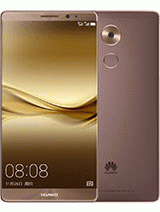
Unlock Huawei Mate 8 by IMEI
Perhaps you recently purchased a Huawei Mate 8 and certainly are stunned with all its remarkable characteristics and features, except maybe for the service you receive from the carrier. Anyway, don’t worry, you can change it in a matter of minutes.
Nowadays, it really is quite common to hear of a easy and legal way to unlock smartphones.
Moreover, the vast majority of the network companies are now offering this service to their clients.
The method used to unlock most smartphones is the so-called IMEI SIM Unlocker. That is totally safe and doesn’t make any change on the hardware nor alters any software in the telephone.
None the less, network providers that offer the unlocking service often ask their customers to pay for a fee that may differ according to on the company’s policies.
For worse, usually this procedure takes a long time.
But not all news is bad: you can make your Huawei Mate 8 unlocked faster and cheaper with our IMEI unlocking service.
See what the International Mobile Equipment Identification (IMEI) is
Maybe this is actually the first time you read the word IMEI, and before describing a procedure that uses this term, you’d better understand what is it.
The International Mobile Equipment Identity, usually called IMEI, is a numeric code created to identify mobile phone devices all around the world. It is formed by an exclusive combination of 15-17 decimal digits.
This IMEI can be used to obtain information about the brand, country of origin and type of cell. Besides, this code is needed for unlocking devices, like your Huawei Mate 8, in a safe way.
Most recommended approaches to unlock a Huawei Mate 8
The most usual and safest way to set any smartphone unlocked, including, of course, your Huawei Mate 8, is via the IMEI process.
Thus, the IMEI number plays a crucial role during default network assignment on a mobile phone, and so it will in an eventual unlocking process as well. This method doesn’t add to nor erase any software from the telephone, nor hardware change is done at all.
It can be done on any mobile device which has been network-locked by the manufacturer or by the cell company that operates the network, generally known as the carrier, like Vodafone, EE, Tesco, Orange, Three Hutchison, O2, Virgin or any other cellular phone services provider.
Other IMEI Unlock services
Although the IMEI unlocking technique is provided by most carrier network companies, it takes quite a long time and you have to fulfill some requisites before getting your smartphone unlocked.
An alternative to this inconvenience could be to ask for a third party IMEI unlock service like the one we offer. We can give you a 100% guaranteed service to get your Huawei Mate 8 carrier-free via the IMEI number. Our unlocking technique is safer, faster, and at an attractive price
Do you want to unlock your new Huawei Mate 8?
Our technique is so easy to do that we set it out on our webpage just for our subscribers to do it by themselves. Nonetheless, our team is ready to give assistance to anyone in the improbable case issues could occur. The following are the instructions for a successful unlocking process:
- 1In the first place, look for your mobile’s IMEI code. It is usually stamped on the original package. Alternatively, you can mark *#06# on your Huawei Mate 8’s keyboard and it will immediately be shown on screen.
- 2Submit that IMEI along with a valid email address from the corresponding section of our page.
- 3Go to the checkout section.
- 4After the payment is done, a verification email will be submitted to your address as well as a password and a set of very easy instructions to perform the unlocking procedure.
As you’ll observe no alteratione in your phone’s look nor in overall performance, the easiest method to verify it’s already unlocked is attempting to connect it to another cell provider, using the corresponding SIM card.
Advantages of using an unlocked Huawei Mate 8
Three straight benefits can be highlighted about having your smartphone not locked exclusively to a certain carrier:
- You can carry your mobile phone whichever country you visit using a local SIM, a thing that would help you save considerable money in roaming fees.
- You can select the carrier that suits your requirements and budget the best, so, no need to be bound to the carrier indefinitely.
- You can ask for your Huawei Mate 8 a higher amount in the used market.
Reasons to unlock your Huawei Mate 8
Here we will give you the facts you would benefit from this fast, easy and safe procedure to free your Huawei Mate 8.
You’ve bought a used Huawei Mate 8 which is locked
If you’ve bought a used or even a brand-new Huawei Mate 8 and it is carrier locked, and on top of that, it has a contract with a mobile provider you may not like, do not worry, since you can have our service, and in a few steps, you can get your Huawei Mate 8 released and ready to connect to the mobile company you like.
You’ll need to change among other mobile companies
Today’s smartphones are compatible with 2 SIM cards, a really good feature, for users may have two service companies in the same device.
Should you want to to switch to a different company or make use of the dual-SIM feature of your new Huawei Mate 8 you are invited to ask us for an unlock service to make it ready to use it on any network you choose.
Saving money in roaming fees when traveling abroad
A direct consequence of the dual-SIM feature is to have the possibility of using the same cell phone right out of the airport after arriving in the nation you often visit. If you have the secondary SIM for that foreign mobile company, your Huawei Mate 8 will hook it up immediately. What this means is less money wasted on really high international roaming charges.
Obtaining a better resale price
Maybe you purchased your Huawei Mate 8 still linked to the original cell company, and you much likely have had to pay to unlock it. If you already made this step, you’ve just added good value to your Huawei Mate 8. You probably may obtain a better resale price if you decide to sell it second hand in the future.
Why hiring a third party unlocking service?
As you may have already seen, having a network-free Huawei Mate 8 offers you several benefits. So, it’s worth considering spend some money on an unlocking service like ours, guaranteed by a full money-back policy.
We can unlock your Huawei Mate 8 via the IMEI number of your device, just as the official mobile company would do, except that our service is easier, faster and at a better price.
With our service, you do not need to have technical knowledge or to do complicated actions to complete the task. Our IMEI unlocking method is straightforward and immediate.
What you get once you unlock your AT&T, Cricket, T-Mobile, MetroPCS, Sprint, Boost Mobile, Tracfone, StraightTalk, Verizon, Xfinity, Bell, Chatr, Fido, Freedom, Koodo, Rogers, SaskTel, Solo, Telus, Videotron, Vodafone, EE, Tesco, Orange, Three Hutchison, O2, Virgin, Telcel, Movistar, Claro, Tigo, Altice, Orange, Iusacell, etc… -locked Huawei Mate 8 with us
Once your provider locked Huawei Mate 8 has been unlocked with our service, you will get a completely operational phone, free to hook up to any mobile provider you choose. You will also be able to select any plan that better fits your budget.
Added to all these benefits, you can save money when you travel abroad, and yet have full usage of all the great characteristics of your Huawei Mate 8.